Introduction to SBI Insta Plus Savings Account
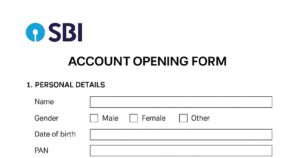
Opening a bank account is one of the first steps toward financial independence — and now it’s faster and simpler than ever with the SBI Insta Plus Savings Account. If you want a paperless, branchless experience where you can open a full-featured savings account from your smartphone, this account is built for you. Using the official YONO (You Only Need One) app and a short Video KYC (Know Your Customer) call, SBI allows residents to open an Insta Plus account instantly — get a virtual debit card, digital passbook, and full banking access without waiting in queues.
In this guide we explain step-by-step how to open the account online, what documents you need, fees and charges, passbook options, tips to avoid common mistakes, real-life examples and 20 frequently asked questions so you can open your SBI Insta Plus Account confidently and quickly.
Quick Overview / Summary
| Feature | Details |
|---|---|
| Account Name | SBI Insta Plus Savings Account |
| Open Mode | Online via YONO app + Video KYC |
| Minimum Balance | Zero for most variants (check category) |
| Passbook | Digital passbook inside YONO. Physical passbook available at branch on request. |
| Debit Card | Virtual card immediately, physical card on request/dispatch. |
| Activation Time | Instant after successful Video KYC (usually minutes to 24 hours) |
| Eligibility | Indian resident, age 18+, Aadhaar & PAN (or alternate KYC) |
Important Links
| Purpose | Link |
|---|---|
| SBI Official Website | https://sbi.co.in |
| YONO Android App | Download on Google Play |
| YONO iOS App | Download on App Store |
| SBI Insta Plus Info | SBI Insta Plus page |
Eligibility Criteria
- Resident Indian, age 18 years or more.
- Valid Aadhaar number (linked with active mobile number) or Alternate KYC as permitted.
- Valid PAN card (or Form 60 where applicable).
- Smartphone with camera and working internet for Video KYC.
- Good-quality photo and ID documents for verification.
What is the SBI Insta Plus Savings Account?
The SBI Insta Plus Savings Account is a fully digital savings account variant offered by State Bank of India that can be opened instantly using the YONO app. The account is designed for customers who want a complete savings account with minimal friction — using Video KYC instead of visiting a branch. Insta Plus provides immediate banking capabilities: UPI, online transfers, digital passbook, virtual debit card and later the option to get a physical debit card and passbook.
Who is it ideal for?
- First-time bank users and students.
- Busy professionals preferring digital onboarding.
- People unable to visit a branch (time/location constraints).
Features & Benefits
| Feature | Benefit |
|---|---|
| Video KYC | Instant identity verification without branch visit |
| Digital Passbook | View statements & transactions in YONO |
| Virtual Debit Card | Use for online payments instantly |
| Zero balance options | Accessible to users with low funds |
| UPI & Internet Banking | Full digital payment capabilities |
Charges & Fees (Typical)
(Note: Charges may be updated by SBI. Verify on the official site before publishing or advising.)
| Service | Typical Charge |
|---|---|
| Account Opening | Free |
| Debit Card Issuance | ₹125 – ₹300 depending on card variant |
| Debit Card Replacement | ₹300 + GST |
| Cheque Book Issuance | First 10 leaves often free; subsequent at nominal charges |
| IMPS/NEFT/RTGS | IMPS/NEFT may be free for retail; some limits and charges may apply for RTGS |
| Minimum Balance Penalty | Varies by category (Metro/Urban/Rural): ₹0 – ₹600 |
Will I Get a Passbook if I Open an Insta Plus Account Online?
Yes. You receive a digital passbook inside the YONO app immediately after account activation. If you prefer a physical passbook, you can request it at your branch — SBI will provide a physical passbook after completing full KYC and branch processing (may require a short wait).
How to Open SBI Insta Plus Savings Account Online — Step-by-Step
- Download the YONO App — Install YONO from Google Play / App Store.
- Open App & Choose New Account — Tap “New to SBI? Open Savings Account”.
- Choose Insta Plus — Select the Insta Plus savings account option.
- Enter Mobile Number & Email — Use the mobile number linked to your Aadhaar if possible.
- Provide Aadhaar & PAN — Enter Aadhaar number and PAN; verify via OTP/address verification.
- Fill Personal Details — Name, DOB, address, nominee etc.
- Schedule Video KYC — Choose a convenient time for live verification.
- Complete Video KYC Call — Keep original Aadhaar (and PAN if asked) ready. Good lighting + stable net helps.
- Account Activation — After successful KYC, account number, CIF and virtual card are issued.
- Set Netbanking / UPI — Register for netbanking and create UPI ID inside YONO for instant payments.
Comparison: Insta Plus vs. Regular Savings
| Feature | Insta Plus | Regular Savings |
|---|---|---|
| Onboarding | 100% Online (Video KYC) | Branch + Paper Forms |
| Passbook | Digital (Physical on request) | Physical passbook by default |
| Activation Time | Minutes to 24 hours | Several days (branch processing) |
| Minimum Balance | Often Zero | Varies by account |
Tips for a Smooth Online SBI Insta Account Opening
- Make sure your Aadhaar mobile number is active to receive OTPs.
- Use a quiet, well-lit space for Video KYC — clear face visibility speeds up verification.
- Keep Aadhaar & PAN ready — photos should be clear and legible.
- Double-check name spelling and DOB (errors can cause mismatch with Aadhaar/PAN).
- Use a stable internet connection; Wi-Fi is often more reliable than mobile data.
- Save screenshots of confirmation pages and acknowledgement numbers after opening.
Avoid these common mistakes
- Entering a wrong mobile number not linked to Aadhaar.
- Poor lighting or blurred document photos during Video KYC.
- Not completing Video KYC within scheduled slot.
- Using different names across documents (e.g., initials vs full name).
Real-Life Examples & Short Testimonials
Rohit — College Student (Delhi)
Rohit needed an account to receive his internship stipend. He downloaded YONO, completed Video KYC while traveling on a train (good network!), and had his account activated in under an hour. “I got a digital debit card and my stipend was credited the next day,” he says.
Neha — Software Engineer (Bengaluru)
Neha chose Insta Plus because she couldn’t spare time to visit the branch. “YONO took me through the onboarding — I received a virtual card and set up UPI in minutes. No paperwork, no waiting.”
Mr. Verma — Retired Teacher (Jaipur)
Mr. Verma didn’t want to stand in queues during the health situation. He completed the Video KYC with help from his daughter at home and appreciated the personal assistance from SBI staff during the verification call.
20 Frequently Asked Questions (FAQs)
1. What is the SBI Insta Plus Savings Account?
A digital savings account by SBI that can be opened online via the YONO app using Video KYC. It provides most features of a regular savings account with instant onboarding.
2. How long does it take to open the account?
Most accounts are activated instantly or within a few hours after successful Video KYC; in some cases up to 24 hours.
3. Is it zero balance?
Yes — Insta Plus offers zero-balance options for many customers, but some services/variants may have conditions. Check terms during application.
4. Do I get a physical passbook?
You get a digital passbook in YONO. Physical passbook can be requested at the branch after KYC completion.
5. What documents are required?
Aadhaar (preferred) linked with mobile for OTP, PAN (or Form 60), and valid photo ID during Video KYC.
6. Is Video KYC mandatory?
For Insta Plus online activation, yes — Video KYC or an equivalent e-KYC is mandatory.
7. Can NRIs open this account?
No. Insta Plus is for resident Indians. NRIs have separate NRI account procedures.
8. Are there hidden charges?
SBI discloses charges. Account opening is typically free. Card issuance/replacement, cheque leaves, or certain transaction types may have fees.
9. Can minors open this account?
Insta Plus is meant for 18+. Minors require guardian-managed minor accounts opened via branch or special online flows.
10. How do I get a debit card?
A virtual debit card is usually issued immediately after activation. You can request a physical card via YONO or branch.
11. Can I link UPI immediately?
Yes. Once the account is active, you can create/link a UPI ID inside YONO or other UPI apps.
12. Can I upgrade account type later?
Yes. If you need a different variant, consult SBI support or visit branch for conversion steps.
13. What happens if Video KYC fails?
If Video KYC fails due to mismatch or poor verification, SBI may request re-scheduling or require branch KYC.
14. Do I need PAN?
Yes — PAN is normally required for full KYC; in special low-value cases, Form 60 may be used.
15. How to check account balance?
Use YONO, SBI netbanking, SMS banking, or ATM. YONO provides instant balance and mini-statement.
16. Is netbanking available?
Yes. Register for SBI Retail Netbanking via the YONO app or SBI website after activation.
17. Can I open joint Insta Plus account?
Joint accounts may require in-branch processes; check YONO options or contact SBI for the joint account flow.
18. How secure is the process?
SBI follows RBI security norms and uses secure authentication (OTP, Video KYC) — maintain device security and beware of phishing.
19. Can I request a cheque book?
Yes. Cheque book requests can be placed via YONO or netbanking once the account is active.
20. How to add nominee?
Add nominee details during the application or via netbanking/branch later.
Ready to Open Your Account?
Open SBI Insta Plus on YONO (Android)
Telegram: Join our Telegram | WhatsApp: Chat on WhatsApp | Website: Fin Banking Tech