Learn how to update mobile number in SBI online using YONO App, Internet Banking, ATM, or Branch. Step-by-step guide, eligibility, documents, FAQs, and common mistakes explained.
Introduction
In today’s digital banking era, your mobile number is the single most important link between you and your bank. From OTP verification, UPI transactions, SMS alerts, to online fund transfers—everything depends on having the correct mobile number registered with your bank account. If you are an SBI customer and recently changed your phone number or never registered one earlier, you must update it as soon as possible.
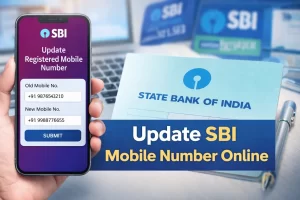
If you recently changed your phone number or never linked one earlier, this guide will help you
update mobile number in SBI online using the YONO app, SBI Internet Banking, ATM, or branch visit.
The process is simple, secure, and mostly free.
This article is specially written for users searching for
“update mobile number in SBI online” or
“SBI mobile number change YONO”.
Quick Overview
| Feature | Details |
|---|---|
| Bank | State Bank of India (SBI) |
| Update Mode | YONO App, Net Banking, ATM, Branch |
| Time Taken | Instant – 48 Hours |
| Charges | Free |
| OTP Required | Yes |
Important Links
- Official Website: finbankingtech.com
- Telegram: Join Channel
- WhatsApp Help: Chat Now
Eligibility Criteria
- Active SBI account
- KYC completed
- Old or new mobile number active
- ATM card / Net Banking access
Ways to Update Mobile Number in SBI
- Using YONO SBI App
- Using SBI Internet Banking
- Using SBI ATM
- By Visiting SBI Branch
Method 1: Update Mobile Number Using YONO App
- Open YONO SBI App
- Login using MPIN
- Go to Service Requests
- Select Profile Update
- Choose Mobile Number Update
- Enter new number & verify OTP
Processing Time: 24–48 hours
Method 2: Update Mobile Number via SBI Net Banking
- Login to https://www.onlinesbi.sbi
- Go to Profile → Personal Details
- Select Change Mobile Number
- Verify OTP and submit
Method 3: Update Mobile Number via SBI ATM
- Insert Debit Card
- Select Registration
- Choose Mobile Number Update
- Confirm OTP
Method 4: Update Mobile Number at SBI Branch
Visit your home branch, fill the mobile update form, submit ID proof, and complete verification.
Common Mistakes to Avoid
- Incorrect mobile number entry
- Inactive SIM card
- OTP timeout
- Incomplete KYC
Real-Life Example
Ramesh, a shop owner, was unable to receive UPI OTPs due to an old mobile number.
He updated his number using the YONO app in just 5 minutes and resumed smooth transactions within a day.
Real-Life Example (Short Story)
Ramesh, a small shop owner from Lucknow, was unable to receive OTPs for UPI payments. He realized his old number was still linked to his SBI account. Using the YONO app, he updated his mobile number in less than 5 minutes. Within one day, his UPI and SMS alerts started working again—saving his daily business transactions.
Frequently Asked Questions (FAQs)
1. Can I update mobile number in SBI online?
Yes, using YONO App or Internet Banking.
2. Is there any charge?
No, it is completely free.
3. How long does it take?
Usually within 24–48 hours.
4. Can I update without visiting branch?
Yes, YONO & Net Banking allow full online update.
5. Is OTP mandatory?
Yes, for security reasons.
6. Can I use someone else’s number?
Not recommended.
7. What if OTP not received?
Check network or try later.
8. Is Aadhaar mandatory?
No, but helpful.
9. Can I update mobile via ATM?
Yes.
10. Does mobile update affect UPI?
Yes, UPI re-verification may be required.
11. Can minor account update mobile number?
Yes, via guardian.
12. Is old mobile number required?
For online methods, yes.
13. Can NRI update mobile number online?
Yes, through Net Banking.
14. Will SMS alerts restart automatically?
Yes.
15. Can I update email also?
Yes, via profile update.
16. Is YONO safe?
Yes, officially provided by SBI.
17. What if mobile is lost?
Visit branch or use ATM method.
18. Can I update multiple accounts?
Yes, one by one.
19. Does debit card required?
For ATM/YONO, yes.
20. Best method?
YONO App (fast & easy).
Final Words
Keeping your mobile number updated is essential for safe and smooth banking. SBI has made the process extremely simple through online platforms like YONO App and Internet Banking. Follow the steps carefully, avoid common mistakes, and enjoy uninterrupted digital banking.
📢 Join Telegram: FinBankingTech
📲 WhatsApp Support: Click Here
🌐 Visit Website: finbankingtech.com