ITR Kaise Bhare?: Income Tax Return (ITR) file karna aaj har kamane wale vyakti ke liye zaroori ho gaya hai. Chahe aap salaried employee ho, freelancer, ya pensioner — ITR filing se aapko tax compliance, loan approval, refund aur financial proof jaise fayde milte hain. Agar aap soch rahe hain “ITR kaise bhare”, to yeh detailed, mobile-friendly aur step-by-step guide aapke liye banaaya gaya hai. Yahaan hum documents, correct form selection, Form 26AS/AIS, e-verification aur aam galtiyon se bachne ke tareeke poori tarah samjhayenge.
📝 Introduction ITR Kaise Bhare
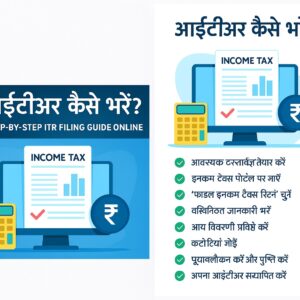
Income Tax Return (ITR) filing is one of the most important financial responsibilities for every earning individual in India. Whether you are a salaried employee, student with part-time income, freelancer, shopkeeper, or pensioner, filing ITR helps you stay compliant with the Income Tax laws and also provides financial benefits like easy loan approval, visa approval, refund claims, and proof of income. But most people still struggle to understand “ITR Kaise Bhare?” especially when filing online through the new Income Tax Portal.
The good news is that ITR filing online is now very easy, fast, and completely free. The Income Tax Department has redesigned its portal to make the filing process simple, beginner-friendly, and guided step-by-step. In this complete pillar guide, you will learn how to file ITR online step-by-step, which ITR form to select, what documents are needed, how to download Form 26AS and AIS, how to verify your ITR, and how to avoid common mistakes that can lead to penalties or refund delays.
Quick Overview Table — ITR Filing at a Glance
| Topic | Details |
|---|---|
| Process | Online (Income Tax Portal) |
| Forms Used | ITR-1, ITR-2, ITR-3, ITR-4 |
| Eligibility | Individuals with taxable income |
| Documents Needed | PAN, Aadhaar, Form 16, Form 26AS, Bank details |
| Time Required | 10–20 minutes (if documents ready) |
| Verification | Aadhaar OTP / Net Banking / Bank EVC |
| Last Date | 31 July 2026 (Non-audit cases) |
Important Links (Official Resources)
| Purpose | Link |
|---|---|
| Income Tax Portal Login | https://www.incometax.gov.in |
| Download Form 26AS | TRACES Portal (via Income Tax profile → View Form 26AS) |
| Download AIS/TIS | Income Tax Portal → AIS |
| Refund Status | NSDL Refund Status Portal |
Eligibility Criteria — Kaun File Kare?
- Income exceeds ₹2.5 lakh (old regime) / ₹3 lakh (new regime)
- TDS deducted and refund claim karna ho
- Income from salary, house property, capital gains, freelance or business
- Deposits ₹1 crore+ in bank / foreign assets hold karna
Step-by-Step Guide: ITR Kaise Bhare Online
Step 1 — Documents Ready Rakhein
Pan, Aadhaar (linked), Form 16, Form 26AS, bank details, investment proofs (80C/80D), rent receipts, etc.
Step 2 — Income Tax Portal Par Login Karein
- Visit www.incometax.gov.in
- Login with PAN and password
- Profile me Aadhaar link aur bank details verify karein
Step 3 — File Income Tax Return Select Karein
Dashboard → e-File → Income Tax Return → Assessment Year (AY 2026 – 2027) → Select ITR Form → Online mode
Step 4 — Personal Details Verify Karein
Ensure name, PAN, address, Aadhaar, email, and bank account details are correct. Wrong bank details delay refund.
Step 5 — Income Details (Auto-Filled)
Portal mostly auto-fills salary, TDS and interest from Form 26AS/AIS. Verify and add any missing income (e.g., freelance income).
Step 6 — Deductions Add Karein (Old Regime)
- 80C: LIC, PF, PPF, ELSS
- 80D: Mediclaim
- 80TTA: Savings interest
- 80G: Donations
Step 7 — Preview & Submit
Preview screen par sab check karein, fir Submit karein.
Step 8 — E-Verify Karna Na Bhoolein
Verification methods: Aadhaar OTP, Net Banking, Bank EVC, Demat. Bina verify kiye return invalid mana jayega.
Common Mistakes — Avoid Karein
- Galat ITR form select karna
- Form 26AS ke entries ignore karna
- Interest income chhupa dena
- Verification na karna
- Bank account pre-validate na karna
Quick Summary Table
| Step | Description |
|---|---|
| 1 | Documents ready karein |
| 2 | Portal login karein |
| 3 | ITR form chuney |
| 4 | Income & deductions verify karein |
| 5 | Submit & e-verify karein |
Which ITR Form Choose Karein?
- ITR-1 (Sahaj) — Salaried individuals with income upto ₹50 lakh
- ITR-2 — Capital gains, multiple properties (no business)
- ITR-3 — Business / Profession
- ITR-4 (Sugam) — Presumptive income scheme
📎 Important Links Table (Official Resources)
| Purpose | Link |
|---|---|
| Income Tax Portal Login | https://www.incometax.gov.in |
| Download Form 26AS | TRACES Portal |
| Download AIS/TIS | Income Tax Portal (AIS Tab) |
| ITR Forms (PDF) | Income Tax Department Website |
| Refund Status | Refund/NSDL Portal |
🎯 Eligibility Criteria (Who Should File ITR?)
You must file ITR if:
-
Your income exceeds
-
₹2.5 lakh (Old Regime)
-
₹3 lakh (New Regime)
-
-
You are salaried and tax is deducted (TDS)
-
You want a tax refund
-
You earned income from:
-
Salary
-
House property
-
Capital gain
-
Freelancing
-
Business
-
-
You deposited ₹1 crore+ in a bank account
-
You spent ₹2 lakh+ on foreign travel
-
You paid ₹1 lakh+ electricity bill
-
You hold foreign assets
-
You are an NRI with Indian income
📘 ITR Kaise Bhare? Step-by-Step ITR Filing Guide (Detailed)
(Focus keyword used naturally)
⭐ Step 1: Prepare All Required Documents
Keep the following ready:
-
PAN Card
-
Aadhaar Linked with PAN
-
Form 16 (if salaried)
-
Bank Account Details
-
Investment proofs (80C, 80D, etc.)
-
Form 26AS
-
AIS/TIS
-
Rent receipts (if claiming HRA)
📌 Ensure documents are correct and match portal data.
⭐ Step 2: Visit Income Tax Portal & Login
-
Go to www.incometax.gov.in
-
Click Login
-
Enter PAN as User ID
-
Enter Password
-
Verify using Aadhaar OTP
⭐ Step 3: Select “File Income Tax Return”
On the dashboard:
-
Click e-File
-
Select Income Tax Return
-
Select Assessment Year (AY 2026 –27)
-
Choose Online mode
-
Select ITR Form
-
Salaried → ITR-1
-
Capital gain → ITR-2
-
Business → ITR-3
-
Presumptive → ITR-4
-
⭐ Step 4: Fill Personal Information
Verify:
-
Name
-
PAN
-
Address
-
Aadhaar details
-
Email & Phone
-
Bank account for refund
💡 Incorrect bank details can delay your refund.
⭐ Step 5: Income Details Entry (Auto-Filled)
Portal automatically fills income from:
-
Salary
-
Interest income
-
Form 26AS
-
AIS
-
TDS
🟢 You only need to verify & correct if needed.
⭐ Step 6: Add Deductions (Old Regime)
Claim deductions such as:
-
80C: LIC, PF, PPF, ELSS
-
80D: Mediclaim
-
80TTA: Savings interest
-
80G: Donations
New Tax Regime (2026 ) has limited deductions.
⭐ Step 7: Preview and Submit Your ITR
The portal shows a full preview:
-
Check name
-
Income
-
Tax liability
-
TDS
-
Refund
-
Deductions
After verifying everything → Click Submit.
⭐ Step 8: Verify Your ITR (E-Verification)
Without e-verification, your ITR is NOT valid.
Ways to verify:
-
Aadhaar OTP
-
Net Banking
-
Bank Account EVC
-
Demat account
⛔ Verification by Post (ITR-V) is slow — Avoid.
⚠ Common Mistakes to Avoid While Filing ITR
-
Wrong ITR form selection
-
Ignoring AIS entries
-
Not reporting interest income
-
Not verifying ITR after filing
-
Bank account not pre-validated
-
Mismatch in Form 16 & 26AS
📊 Quick Summary / Overview Table
| Step | Description |
|---|---|
| Step 1 | Gather documents |
| Step 2 | Login to portal |
| Step 3 | Select ITR & AY |
| Step 4 | Fill personal details |
| Step 5 | Verify income auto-fill |
| Step 6 | Claim deductions |
| Step 7 | Preview & submit |
| Step 8 | E-verify return |
📚 Additional ITR Topics Covered
🔹 Which ITR Form to Choose?
-
ITR-1 = Salary
-
ITR-2 = Capital gain
-
ITR-3 = Business & profession
-
ITR-4 = Presumptive scheme
🔹 ITR Filing Fees
ITR filing on the official portal is completely FREE.
🔹 ITR Refund Time
Refund usually comes in 5–45 days.
20 FAQs — ITR Kaise Bhare? (Common Questions)
1. ITR kaise bhare online?
Income tax portal par login karke ‘File ITR’ choose karein aur step-by-step form fill karein.
2. Kya mobile se ITR file ho sakta hai?
Haan, portal mobile-responsive hai aur aap mobile se bhi file kar sakte hain.
3. Form 16 ke bina ITR file kar sakte hain?
Haan, AIS aur Form 26AS ke saath file kar sakte hain.
4. ITR ki last date kya hai?
31 July 2026 (non-audit cases).
5. ITR verify kaise karein?
Aadhaar OTP, Net Banking ya Bank EVC se verify karein.
6. Refund kaise check karein?
NSDL Refund Status portal ya Income Tax portal se check karein.
7. Students ITR file kar sakte hain?
Haan, agar unki taxable income ho ya TDS deduct hua ho.
8. Housewife ITR kaise bhare?
Agar unke bank interest ya taxable income ho to ITR file karna chahiye.
9. Freelancers kaun sa form use karein?
ITR-3 ya ITR-4, income type par depend karta hai.
10. Pensioners kaun sa form file karein?
Usually ITR-1 (agar other incomes nahi hain).
11. NRI ITR file kaise karein?
India me agar income earn ki hai to ITR file karna zaroori hai; special NRI rules apply.
12. TDS refund kab milega?
Refund usually 5–45 days me aa sakta hai, depends on processing.
13. AIS mismatch dikh raha hai — kya karein?
AIS par feedback/report option use karke mismatch notify karein aur employer/Bank se correct karwayein.
14. Interest income declare karna zaroori hai?
Haan, savings aur FD interest declare karna mandatory hai.
15. Bank account pre-validate kaise karein?
Profile → Bank Accounts → Add & Pre-validate using OTP.
16. ITR-V kya hota hai?
ITR-V e-filing ka acknowledgement hai; agar e-verify nahi kiya toh post karna padta hai.
17. Capital gains kis form me file karein?
ITR-2 me capital gains report karte hain.
18. Business income kis form me file karein?
ITR-3 (business/profession) ya ITR-4 (presumptive).
19. Kya CA ki zaroorat hai?
Simple cases me nahi; complex cases ya audit required businesses ke liye CA recommended hai.
20. ITR file karne se kya fayde hain?
Loan approval, visa, tax refund, legal compliance aur financial proof milta hai.
Additional Resources & Support
Chahein to mai aapke liye WordPress-ready HTML, FAQ schema, featured image aur downloadable PDF bhi bana kar de sakta hoon. Community aur quick support ke liye join karein:
🎉 Conclusion
Now you fully understand “ITR Kaise Bhare?” with a complete step-by-step process. Filing ITR yourself is simple, fast, and 100% free when done through the official portal. Make sure your documents are correct, avoid common mistakes, verify your return, and check refund status regularly.
No-Fee Bank Accounts : What They Are & How to Find the Best Ones
UPI Apps in India Offering Highest Cashback