Learn How To Turn Off UPI Autopay in Google Pay, PhonePe, Paytm, BHIM, and all major UPI apps. Step-by-step cancellation, screenshots, refund rules, safety tips, FAQs & latest NPCI guidelines. Secure & updated guide for 2025.
🌟 Introduction
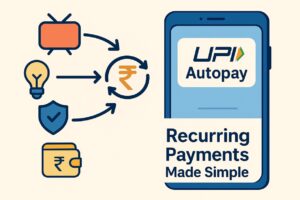
UPI Autopay has made subscription payments extremely easy in India. Whether it’s OTT platforms (Netflix, Hotstar), mobile recharge, electricity bills, FASTag recharge, SIP auto-debit, loan EMI, or app memberships, UPI Autopay lets money get deducted automatically each month without manual approval. But sometimes users want to turn off UPI Autopay because of unwanted charges, price hikes, trial period expiry, or accidental activation.
If you are searching for a complete, step-by-step guide on how to deactivate UPI Autopay, you are in the right place. In this detailed pillar post, we will explain how to cancel UPI Autopay on Google Pay, PhonePe, Paytm, BHIM UPI, Amazon Pay, Cred, and other apps, along with screenshots-based guidance, refund rules, NPCI’s updated guidelines (2025), and safety recommendations to prevent unauthorized charges.
This article also includes tables, quick steps, FAQs, eligibility, links, and explanations in a simple human-friendly style. Bookmark this guide for future use — it’s your all-in-one solution for cancelling any active UPI subscription safely.
📌 Official Website: https://finbankingtech.com
📌 Telegram: https://t.me/FinbankingTech
📌 WhatsApp Support: 7905455959
📌 Quick Overview Table
| Topic | Details |
|---|---|
| Service Name | UPI Autopay |
| Purpose | Automatic recurring payments for subscriptions and bills |
| How to Turn It Off | Through Google Pay, PhonePe, Paytm, BHIM, or bank app |
| Time Required | 10–20 seconds |
| Charges | No charges for cancelling |
| Refund | As per merchant rules |
| Best For | Managing unwanted deductions |
🔗 Important Links Table
| Platform | Link |
|---|---|
| Official NPCI UPI Autopay Page | https://www.npci.org.in/ |
| Google Pay Help | https://support.google.com/pay |
| PhonePe Support | https://support.phonepe.com |
| Paytm Help Centre | https://paytm.com/help |
| Your Official Website | https://finbankingtech.com |
| Telegram Channel | https://t.me/FinbankingTech |
| WhatsApp Support | 7905455959 |
✔️ Eligibility Criteria for Turning Off UPI Autopay
-
Must have an active UPI ID.
-
The subscription/mandate must be created through a UPI app.
-
You must know which app was used (Google Pay / PhonePe / Paytm / BHIM / Cred, etc.).
-
Bank account linked to the UPI should be active.
-
UPI PIN must be correct.
-
Mandate must not be expired or revoked earlier.
🧩 Quick Summary Table
| Step | Action |
|---|---|
| Step 1 | Open your UPI app (GPay/PhonePe/Paytm/BHIM) |
| Step 2 | Go to Autopay / Mandates / Payments |
| Step 3 | Select the Active Mandate |
| Step 4 | Tap Cancel / Pause / Disable |
| Step 5 | Confirm via UPI PIN (if required) |
Understanding UPI Autopay (Complete Basic)
UPI Autopay is a feature introduced by NPCI that allows automatic recurring payments such as:
-
OTT subscriptions
-
Loan EMI
-
Postpaid bills
-
Mobile recharge
-
FASTag recharge
-
Insurance premium
-
SIP investments
UPI Autopay is supported by:
-
Google Pay
-
PhonePe
-
Paytm
-
BHIM
-
Amazon Pay
-
Cred
-
Banking apps
Why You May Want to Turn Off UPI Autopay
1. Unwanted recurring charges
Sometimes users forget trial subscriptions and money starts deducting.
2. Price increase of service
OTT platforms frequently increase subscription charges.
3. Switching to a new app
Example: shifting from Hotstar to Netflix.
4. Low account balance issues
Autopay may fail due to insufficient balance.
5. Accidental activation
Many apps auto-activate recurring payments during offers.
🟦 How To Turn Off UPI Autopay in Google Pay (Step-by-Step)
Step 1: Open Google Pay
Step 2: Tap on your Profile Photo → Select Subscriptions
Step 3: Choose the Active Autopay Mandate
Step 4: Click Cancel Autopay / Pause Autopay
Step 5: Enter UPI PIN to confirm
🔍 Google Pay Autopay Supports:
-
Netflix
-
Zee5
-
Hotstar
-
Cred Autopay
-
Mobile recharge
🟪 How To Turn Off UPI Autopay in PhonePe
Step 1: Open PhonePe
Step 2: Go to History / Recurring Payments / Mandates
Step 3: Select the subscription
Step 4: Tap on Disable / Cancel
Step 5: Confirm
PhonePe also shows future-dated autopay transactions.
🟧 How To Turn Off UPI Autopay in Paytm
Step 1: Open Paytm App
Step 2: Tap UPI & Payments
Step 3: Select Automatic Payments / Mandates
Step 4: Select the active subscription
Step 5: Tap Cancel Autopay
Paytm asks for UPI PIN only in some cases.
🟩 How To Disable Autopay in BHIM UPI
Step 1: Open BHIM
Step 2: Go to Mandates
Step 3: Tap Active Mandates
Step 4: Select the merchant
Step 5: Tap Revoke
BHIM also allows pause if you want to temporarily stop payments.
🟨 How To Cancel UPI Autopay in Cred, Amazon Pay, Banking Apps
General Steps:
| App | Section Name | Cancellation Option |
|---|---|---|
| Cred | Bills → Autopay | Disable |
| Amazon Pay | Payments → Auto-pay | Cancel |
| SBI YONO | UPI → Mandates | Revoke |
| HDFC | Pay → Manage Mandates | Stop Autopay |
| ICICI | UPI → Autopay | Deactivate |
🛑 What Happens After You Turn Off UPI Autopay?
-
No future payments will be deducted
-
Mandate will be marked Revoked
-
Merchant will lose auto-debit authority
-
You can still pay manually
-
Refund depends on service provider
📝 UPI Autopay Refund Rules (2025)
| Type of Plan | Refund Eligibility |
|---|---|
| Monthly OTT Subscription | Depends on platform |
| Annual Subscription | Pro-rated refund possible |
| Mobile Recharge | No refund |
| FASTag Auto Recharge | No refund |
| Loan EMI Autopay | No refund |
| SIP Autopay | No refund on investment |
🔐 Security Tips When Using UPI Autopay
-
Always check Active Mandates once a month
-
Never approve suspicious Autopay requests
-
Always read merchant name before enabling
-
Keep UPI PIN confidential
❗ Common Mistakes Users Often Make
-
Approving a mandate without reading details
-
Forgetting trial period cancellations
-
Linking autopay to wrong bank account
-
Ignoring SMS alerts
-
Not checking mandate expiry date
🌍 UPI Autopay NPCI Guidelines (2025 Update)
-
OTP required for autopay above ₹15,000
-
Daily limit updates through UPI apps
-
Mandates can be paused or resumed anytime
-
Users can complain via UPI Help / Bank Support
❓ 20 Frequently Asked Questions (FAQs)
1. Can I cancel UPI Autopay anytime?
Yes, you can cancel or pause it anytime through your UPI app.
2. Does cancelling UPI Autopay require UPI PIN?
Sometimes yes, depending on your app.
3. Will money deduct after I cancel Autopay?
No, after revoking, no further payments will occur.
4. How long does cancellation take?
It takes instantly.
5. Can I reactivate Autopay later?
Yes, you can start a new mandate anytime.
6. Can merchants still charge me?
No, once mandate is revoked, merchant has no access.
7. Will I get refund of unused subscription days?
Depends on the service provider.
8. What if I forgot which app I used for Autopay?
Check SMS alerts — they mention app name.
9. Is UPI Autopay safe?
Yes, NPCI protects it with strict guidelines.
10. Can I stop UPI Autopay without smartphone?
Yes, through bank customer care or branch.
11. Does Google Pay show all Autopay subscriptions?
Yes, all active mandates appear under Subscriptions.
12. How to check Autopay status?
Go to Mandates → Active.
13. Can I cancel a trial Autopay during free trial?
Yes, and you won’t be charged.
14. What if cancellation fails?
Retry or raise complaint with the bank.
15. Will Autopay affect my credit score?
No, UPI Autopay has nothing to do with credit score.
16. Can Autopay be paused temporarily?
Yes, most apps offer a Pause option.
17. Is UPI Autopay available for international apps?
Only if merchant supports NPCI Autopay.
18. Can I cancel Autopay from merchant app?
Some merchants allow cancellation.
19. Why is my Autopay not visible?
Mandate may have expired or been deleted.
20. Can I stop Autopay for EMI loans?
Yes, but loan payment must be done manually afterward.
🎯 Conclusion
Turning off UPI Autopay is simple, fast, and free. Whether you use Google Pay, PhonePe, Paytm, BHIM, Cred, Amazon Pay, or a banking app, you can manage and cancel autopay mandates anytime with just a few taps. Follow the steps above and protect yourself from unwanted charges.
If you need more fintech guides, payment tutorials, or banking updates:
📌 Visit Website: https://finbankingtech.com
📌 Telegram Channel: https://t.me/FinbankingTech
📌 WhatsApp: 7905455959
How to Reset ATM PIN Online(2025 Guide) – Step-by-Step for All Banks
How to Activate Axis Bank Net Banking Online (Complete Guide 2025 – 2026)
How to Activate HDFC NetBanking Online (Complete Step-by-Step Guide 2025 – 2026)
How to Activate SBI Net Banking Online (OnlineSBI & YONO) – Step-by-Step Guide 2025