UPI Autopay Explained in simple language. Learn how to set up recurring payments using UPI Autopay on Google Pay, PhonePe, Paytm, and BHIM. Know eligibility, limits, charges, benefits, FAQs, and step-by-step setup guide.
📝 Introduction
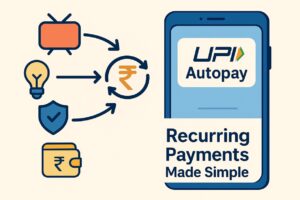
In the last few years, UPI has transformed digital payments in India, making transactions faster, easier, and more secure. Taking this evolution further, NPCI introduced UPI Autopay, a feature that lets users automate recurring payments like OTT subscriptions, electricity bills, loan EMIs, SIPs, insurance premiums, mobile recharges, school fees, and more — without entering a UPI PIN every time.
The rise of subscription-based services across India has made UPI Autopay one of the most demanded digital payment features in 2026. With the help of apps like Google Pay, PhonePe, Paytm, BHIM, and bank UPI apps, setting up an autopay mandate now takes less than 30 seconds.
This pillar guide explains everything you need to know about UPI Autopay — how it works, how to set up recurring payments step-by-step, supported banks & apps, limits, benefits, safety measures, cancellation guide, troubleshooting, FAQs, and more.
Whether you’re a beginner or a business owner, this guide ensures you fully understand UPI Autopay Explained: How to Set Up Recurring Payments smoothly and correctly.
🔗 Official Website: https://finbankingtech.com
📢 Join Telegram: https://t.me/FinbankingTech
📱 WhatsApp: 7905455959
🗂️ Quick Overview Table
| Feature | Details |
|---|---|
| Service Name | UPI Autopay |
| Introduced By | NPCI (National Payments Corporation of India) |
| Main Purpose | Automate recurring payments |
| Supported Apps | Google Pay, PhonePe, Paytm, BHIM, bank UPI apps |
| Autopay Limit | Up to ₹1 Lakh (Varies by bank & mandate type) |
| PIN Requirement | No PIN for payments ≤ ₹15,000 |
| Mandate Types | Weekly, Monthly, Quarterly, Yearly, On-Demand |
| Best For | OTT, Bills, EMIs, SIPs, Insurance, Subscriptions |
🔗 Important Links Table
| Type | Link |
|---|---|
| NPCI Official UPI Page | https://www.npci.org.in |
| RBI Guidelines on Autopay | RBI Circular – UPI Recurring Payments |
| Google Pay Autopay Help | Google Pay Help Center |
| PhonePe Autopay Help | PhonePe Support |
| BHIM UPI Autopay Guide | BHIM App Website |
| FinBankingTech Home | https://finbankingtech.com |
| Telegram Community | https://t.me/FinbankingTech |
| WhatsApp Contact | 7905455959 |
🔍 Eligibility Criteria
To use UPI Autopay, users must meet the following:
-
✔️ A valid UPI-enabled bank account
-
✔️ A UPI app that supports Autopay (GPay, PhonePe, Paytm, BHIM)
-
✔️ Active mobile number linked with bank
-
✔️ Sufficient account balance
-
✔️ UPI PIN must be set
-
✔️ Bank must support UPI recurring mandates
📘 UPI Autopay Explained: Full Guide with Structured Sections
What Is UPI Autopay? (Beginner Friendly)
UPI Autopay is an automated payment service under UPI 2.0 that allows users to authorize merchants to collect recurring payments from their bank account without manual approval each time.
It works through a Standing Mandate (SM) that users can modify, pause, or cancel anytime.
How UPI Autopay Works (Simple Workflow)
| Step | Action |
|---|---|
| 1 | User selects AUTOPAY option on app/merchant site |
| 2 | Enters amount, frequency, bank & UPI app |
| 3 | Approves one-time mandate using UPI PIN |
| 4 | Amount auto-deducts at schedule |
| 5 | User receives reminders & notifications |
Types of UPI Autopay Mandates
Fixed Mandates
Same amount every cycle — like Amazon Prime, Netflix, EMI.
Variable Mandates
Amount changes every cycle — like electricity bill, credit card bills.
On-Demand Mandate
Payment only triggered when user approves.
UPI Autopay Charges (2026)
-
✔️ No charges for consumers
-
✔️ Merchants may pay minimal processing fees
-
✔️ No hidden costs
UPI Autopay Limit 2026
| Payment Type | Limit |
|---|---|
| Subscriptions | Up to ₹15,000 without PIN |
| Insurance | Up to ₹1,00,000 |
| Mutual Funds SIP | Bank-dependent |
| Business Payments | Custom limit |
How to Set Up UPI Autopay on Google Pay (Step-by-Step)
-
Open Google Pay
-
Tap on Bills/Subscriptions
-
Select service (OTT/Electricity/Insurance etc.)
-
Tap Set Autopay
-
Enter amount & frequency
-
Choose bank account
-
Approve with UPI PIN
-
Autopay activated ✔️
How to Set Up UPI Autopay on PhonePe
-
Open PhonePe
-
Go to Subscriptions & Mandates
-
Tap Create Mandate
-
Select merchant
-
Set amount + duration
-
Approve using UPI PIN
How to Set Up Autopay on Paytm
-
Open Paytm
-
Go to Automatic Payments
-
Add a subscription or biller
-
Select UPI Autopay
-
Verify via UPI PIN
-
Mandate created successfully
How to Cancel or Pause UPI Autopay
| Action | Steps |
|---|---|
| Pause | Open UPI App → Mandates → Pause |
| Edit | Modify amount/frequency |
| Cancel | Tap Cancel → Confirm PIN |
Benefits of UPI Autopay
-
No payment delays
-
No reminders needed
-
0 failure chances (strong retry logic)
-
Works for all subscription services
-
Secure under RBI + NPCI rules
-
User has full control
Common Issues & Solutions
Problem 1: Payment Failed
✔️ Check balance
✔️ Recharge mobile
✔️ Bank server downtime
Problem 2: Mandate Not Visible
✔️ Update app
✔️ Sync UPI account
Problem 3: Autopay Stopped
✔️ Check expiry date
✔️ Check bank limit
Quick Overview / Summary Table
| Topic | Summary |
|---|---|
| Service | UPI Autopay |
| Use | Automatic recurring payments |
| Setup Time | 30 seconds |
| Charges | Free |
| PIN Needed | Only once |
| Limit | ₹15,000–₹1,00,000 |
| Control | Pause / Edit / Cancel anytime |
❓ 20 FAQs with Answers
1. What is UPI Autopay?
UPI Autopay is a feature that lets you automate recurring payments using UPI.
2. Is UPI Autopay safe?
Yes, it is 100% safe and regulated by NPCI and RBI.
3. Do I need UPI PIN for every payment?
No. PIN is required only once during mandate creation.
4. What is the UPI Autopay limit?
₹15,000 for most subscriptions and up to ₹1 lakh for insurance.
5. Can I cancel UPI Autopay anytime?
Yes, fully user-controlled.
6. How to check active mandates?
Go to your UPI app → Mandates/Subscriptions section.
7. Which apps support UPI Autopay?
Google Pay, PhonePe, Paytm, BHIM, and bank UPI apps.
8. Is there any charge for UPI Autopay?
No, it’s completely free for users.
9. How long does mandate activation take?
Less than 30 seconds.
10. Is UPI Autopay available on iPhone?
Yes, via iOS versions of Google Pay, PhonePe, Paytm.
11. What payments can I automate?
OTT, electricity, credit card, EMI, SIP, insurance, recharges.
12. Can I modify the mandate amount?
Yes, you can increase/decrease anytime.
13. Why did my Autopay fail?
Insufficient balance, bank outage, expired mandate.
14. Can merchants request UPI Autopay?
Yes, using UPI Intent Flow or collect requests.
15. Can I set multiple UPI Autopay mandates?
Yes, unlimited number of mandates allowed.
16. Does UPI Autopay work at night?
Yes, 24×7 system.
17. Can I use UPI Autopay for EMI?
Yes, several lenders support UPI EMI payments.
18. Can I use UPI Autopay without debit card?
Yes, if UPI is already activated.
19. How to stop autopay permanently?
Open app → Mandates → Cancel → Confirm PIN.
20. Is UPI Autopay better than credit card autopay?
Yes, zero charges, easier setup, and fully controlled.
🎉 Conclusion
UPI Autopay is one of the strongest digital payment tools in India today — simple, secure, fast, and fully automated. Whether you want to automate Netflix payments or manage EMI/SIP cycles, UPI Autopay makes everything effortless. With this guide, you now fully understand UPI Autopay Explained: How to Set Up Recurring Payments with clear steps, tables, and FAQs.
🔗 Official Website: https://finbankingtech.com
📢 Join Telegram: https://t.me/FinbankingTech
📱 WhatsApp: 7905455959
How to Reset ATM PIN Online(2026 Guide) – Step-by-Step for All Banks
How to Activate Axis Bank Net Banking Online (Complete Guide 2026– 2027)
How to Activate HDFC NetBanking Online (Complete Step-by-Step Guide 2026– 2027)
How to Activate SBI Net Banking Online (OnlineSBI & YONO) – Step-by-Step Guide 2026